React Native
React Native - 안드로이드 상태바 겹침 해결
joy_lee
2021. 12. 15. 16:32
Expo로 앱을 만들 때 App.js에는 expo에서 제공하는 StatusBar를 사용해 기본 탬플릿을 만들어준다.
|
1
2
3
4
5
6
7
8
|
import { StatusBar } from 'expo-status-bar';
// ...생략
return (
<Container>
<StatusBar />
</Container>
)
|
cs |

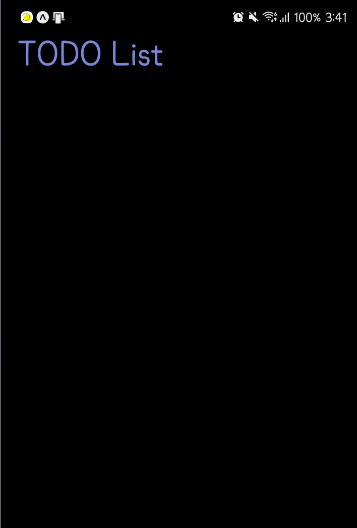
그런데 아래 내용을 만들다보면 Title이 상태바에 가려진 모습을 볼 수 있다.
이런 상황을 해결하기 위해 두 가지 방법을 사용할 수 있다.
1. 상위 컴포넌트의 스타일을 설정한다.
|
1
2
3
|
<View style={{paddingTop: Platform.OS === ‘ios’ ? 0 : Expo.Constants.statusBarHeight}}>
<StatusBar />
</View>
|
cs |
상위에 View가 있다면, View의 style에 paddingTop을 설정하는 방법이다.
OS가 Android일 때만 paddingTop을 설정하는데, iOS인 경우는 SafeAreaView로 해결할 수 있다.
2. React Native에서 제공하는 StatusBar를 사용한다.
|
1
2
3
4
5
6
7
8
|
import { StatusBar } from "react-native";
// ...생략
return (
<Container>
<StatusBar />
</Container>
)
|
cs |
StatusBar의 background와 style도 설정해줄 수 있다.
|
1
|
<StatusBar style="light-content" backgroundColor="black" />
|
cs |
참고한 사이트
https://reactnative.dev/docs/statusbar
StatusBar · React Native
Component to control the app status bar.
reactnative.dev